Up and Running

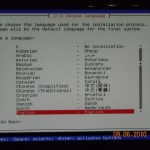
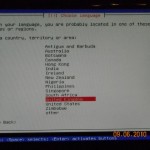
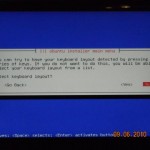
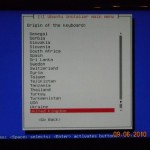
In fact, I did get Ubuntu working the other night but it was too late to post any more updates. What I had to do was use the desktop version of the distro as opposed to the server version (still 64 bit though). I’m writing this on the new machine.

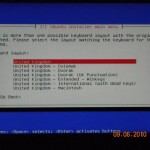
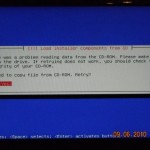
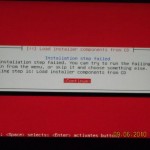
Before I did that I used the menu system to save the install logs and opened a shell to have a look. It seems like Ubuntu itself runs fine and the installer is at fault. Perhaps I need a more up-to-date version of the Universal USB Installer. The error messages are misleading as I believe there are just files missing from the USB drive (mounted on /cdrom). “There was a problem reading from the CD-ROM…” Not really but I guess the installer assumes it has all the files. Still, misleading error messages are one of the banes of IT.

Now to download some hypervisors and other O/Ss.

P.S. Ubuntu likes to spread itself about on the disk if you choose a fully automated install. I wanted the minimum, a / filesystem and some swap and I created a couple of small partitions for that but it still went and used the 900G of space for swap so I had to explicitly tell it what to use.

Wot no Ubuntu

So, with my shiny new hardware I had decided to put Ubuntu 10.04 64bit server edition as a start. I thought this would be easy as I had no problem with the notebook edition. I didn’t order a CD/DVD drive with the hardware as I believe you should be able to do it all with usb keys nowadays (he said).

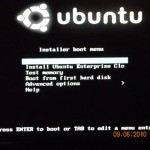
Well, sorry, Ubuntu’s off. Followed all the instructions for downloading and installing onto a bootable USB drive which does boot and start the installation but doesn’t get very far before it complains it can’t load installer components from CD. Looks like this is a common problem but 30mins of searching has not turned up a solution. Maybe I’ll try fixing it or maybe I’ll just try another distro.

An Ideal World

Brian Madden’s recent blog of Teradici (see links for his blog list) gave me a few ideas. IT is not all about design. There are evolutionary forces at play. Building blocks are designed and “systems” are (usually) designed. But in the soup, new configurations arise. Virtualisation arguably one of them, VDI particularly. After all you wouldn’t design a VDI solution by first inventing desktop processors and good graphics cards and functionally rich operating systems and then virtualise them so that you could change the way you use them. VDI in it’s current state is an evolved solution and VMware a tactical company, if you take the wider view. Ironically, while Teradici has to become more of a software company, it’s solution i.e. doing things in hardware is more strategic. Ultimately you can’t beat a bit of hardware! Ultimately you can’t do anything without a bit of hardware!

So I foresee more use of “new” hardware in VDI and virtual architectures to solve problems that can not otherwise be solved well in software. (Does that mean they won’t be virtual any more?) Hardware changes to support virtualisation are not without precedent: chips have been redesigned with VT extensions.

So as I am taking a really big world view today, why not consider what an “ideal” IT architecture evolved from VDI would look like. Something to aim for in 15 or 20 years time? First off I have to narrow the field. I’m going to be thinking mainly about corporate IT systems, which is where my experience lies. I’m thinking about large multi-national companies that could gain massively from efficiencies in their IT and whose employees use IT for the good of the company i.e. to do business, running and writing apps, crunching data and making a profit. Something “constructive”, say.

Consequently I’m not thinking about  IT architectures for home users and gamers (no disrespect).

There are some clear “ilities” on the list, in no specific order of priority yet. I will split them into two lists though. 1. Good things for users and 2. Good things for the people who run IT.

For the users:

  • Reliability. In an ideal world, users can always access their apps and data 24×7, 365 days.
  • Accessibility. In an ideal world, users can access their apps and data from anywhere, in an office, on a plane, at home and anyhere from Altoona, Barcelona, Cape Town to Zhengzou.
  • Security. In an ideal world, users are confident that only those who should be able to see the data can. And it never gets lost.
  • Performability (not a word? Ok Performance then). Regardless of where you are, the user interface is the same, and everything is the same speed, i.e. very fast.

For IT managers:

  • Power Efficient. In an ideal world, IT is so efficient it can all be run from renewable resources and there is no electricity bill.
  • Minimal Management. In an ideal world, each company has three IT staff, one in each region who can maintain the whole corporation. Anything that needs to be done more than once is automated. Hey, it’s an ideal world remember. If your company has doctors for it’s staff, I bet it doesn’t have more than one in each region.

The two points above mean that IT costs next to nothing, which in itself is of course a bonus to the business. All very over-simplified and somewhat meaningless at such a high level but I do want to break down some of the bullet points above into more detail and see how we might re-engineer ourselves into a Sci-Fi world where we get a bit closer.

That means thinking about backups, protocols, user interfaces, life-cycle and provisioning, data centres, storage and everything else that goes to make up IT.

For a future blog.

Should get my new system soon so expect something more geeky technical in the meantime.

Home kit

So I am excited to have finally ordered some home hardware from my friends at Redpixie! What I have gone for is:

  • Silverstone SG01F mATX Cube Case
  • Intel® Core” i5 Processor i5-670 3.46GHz (with VGA)
  • 8gb RAM Memory DDR3 1333MHz
  • 3.5″ HD SATA2 1TB 7200RPM 32MB Cache
  • Intel E1G42ET Gigabit Ethernet Card – PCI Express 2 Port – 10/100/1000Base-T

This does very well for them as a lab system and expect it to be good for me too.

Next step

A quick update. Despite probably not having all the “bits” I continued to try a compilation of Xen 4.0.0 on Darwin. The result of a “make world”, after linking “darwin.mk” to “FreeBSD.mk” was an assembler syntax error in a file called “reloc.c” (copyright Citrix). Will check into that at the next session. Xen expects to be compiled on one of 10 architectures. Darwin is not one of them :-).

Getting Technical

So I had a thought that I should make better use of what I have already, which is to say an iMac running Leopard. It has a 2.4Ghz Dual Core Intel Duo and 2G of Ram so I thought it might be an interesting academic exercise to try and build Xen on it. Not that we’re allowed to run Darwin on top of a hypervisor but should be able to learn something from building Xen at least!

First of all download and unpack Xen 4.0.0. OK, that’s easy. Look at the README file. Hmm a list of pre-requisites, of course. Downloaded the latest gnu compiler but quickly realised I was barking up the wrong tree and dug out my DVDs so I could install Xcode. (I’ve been registered as an Apple developer for a couple of years but never got around to even installing the toolset). Anyway that was easy too and a quick perusal of the Development website left me impressed.

So that has given me GCC and Make but the next on the list is Binutils. A quick google of “binutils darwin” led me to the darwinports website so I downloaded and installed darwin ports. Following the clues (not quite the exact instructions) led to an installation of binutils. Watching “port” work is also impressive. It takes all the frustration/fun out of building software. It goes and gets everything it needs, builds and installs it (after you tell it to update itself).

All went swimmingly until it fell over trying to build “gettext”. Tried it a couple of times to no avail and ended up running the failing command manually which produced masses of output and lots of warnings but did “something”. (Have to have a bit of faith sometimes). A port install of zlib worked fine and a final invocation of “port install binutils” completed OK although I was warned that “Having binutils installed will cause some other ports to fail to build. Consider uninstalling binutils.” Cute. I just installed it.

Back to Xen’s dependencies. Python, tick. Openssl, tick.  x11, tick. curses…looks like another port job.  Too late to look at that now and all the other bits will wait until the next free slot.

Good Tech/Bad Tech

Following up on my interest in “zero client” devices, I found Panologic referred to in Brian Madden’s blog. They look like great devices!

Following on from a presentation from Leostream today, I’m beginning to realise just how many Vitualisation companies there are out there: hundreds if not thousands. One slide showed a whole swathe of companies I’d never heard of. Much to learn!

On a non-virtual note, let me relate my experience with a couple of pieces of home tech. First of all a new RangeMax Netgear Wireless N router (model WNR834Bv2). I have been using for a year a Wireless G router which came “free” from Virgin when I subscribed to their cable service. Unfortunately, that device has  customised “virgin” firmware and despite following instructions I found on the internet to allow me to log in to the device (it’s a small Linux-y thing) I could not get up-to-date firmware installed. Only a problem because it did not work with any of the family’s Nintendo devices.

I was happy to get the new device up and running in a matter of minutes and it works very well with the Nintendos and other machines. Good Tech!

My wife’s iPhone newish 3GS packed up yesterday. Bad Tech. Despite being plugged in overnight and during the day on difference chargers the battery would not hold more than 4%. Most of the day it wouldn’t even turn on. Luckily I managed to coax enough life into it to back it up and take it to the Apple Store who agreed it was kippered and replaced it with a new one. On the plus side, despite the hassle, restoring all the settings onto the new device worked smoothly.

Personally, I’m not a fancy phone person. Spend enough time in front of the computer/internet already. Provided I have something that people can talk to me with and send text messages, that’s all I need.

Desktop Virtualisation Forum (cont.)

So, on to Roy Illsey of Ovum “Market Trends: Is 2010 the tipping point for Desktop Virtualisation?”. This technology is new and small. The global market for desktops is 600 million units. Virtualisation has about 1/2% of that market. But it’s not just about the technology, it’s about the process too. This is where there needs to be a change in mindset. There is a convergance in thinking between Vmware and Citrix and a growing “ecosystem”, as evidenced by this forum and others.

Last, but not least Simon Bullers CEO of RedPixie presented “Implementing best practice for desktop virtualisation”. His bullet points about how to deliver a successful desktop virtualisation project included:

  • Create a culture of teamwork. Think about whether you need a dedicated team or do as BAU. Get the Data Centre involved.
  • Create a culture of end users. Build positive PR within the organisation and an appetite for change.
  • Technology – Client. There are various types of client to consider, there are various types of application to consider. Build a demo lab.
  • Technology – Storage. Measure and optimise throughout the course of the project.
  • Technology – Platform. Server hardware, blades v racks. Type 1 or type 2 hypervisor. Blend?
  • Size for the peak users.
  • Process: spend time information gathering and planning. Decide on scheduling.
  • Agree the appetite for risk.
  • Process: difficult decisions, don’t get involved in a blame game.
  • Financials – it’s a mine field! Does it need to show an ROI? User chargebacks?

A quick executive summary: Windows 7 is the best reason to adopt so far but don’t play the funny numbers game (a reference I guess to the potential cost savings).

Many points to consider there and the forum as a whole very worthwhile. After this talk there was a panel Q&A session before lunch. I regret not being able to attend the afternoon breakout sessions where no doubt plenty of discussion took place and many thought provoking ideas developed from the morning themes.

To re-iterate what I said yesterday, I think to be truly successful, a desktop virtualisation project has to deliver 100%.  The overheads of maintaining two or more desktop platforms are going to kill any efficiencies quickly. That is why I would seek to convince the sceptics first and not start with the users who were already fans.

I was interested in the “Zero Client” device. This for me is the “ultimate” solution, or at least the most evolved of all the solutions currently in play. In some ways it is a direct descendant of a dumb terminal of the type Wyse manufactured 30 years ago. A serial line delivering ASCII characters has been replaced by the LAN or WAN delivering rich media over optimised protocols. I would put my money on these types of device to be the most successful as the field develops.

As to the next generation of device after that, I think it will naturally be led by advances in user interfaces in the field of human computer interaction. That field seems to have been quiet in recent years after the revolution in mice, graphics and workstations. Maybe that’s my cue to go and watch some more Sci-Fi movies…there must be another HCI revolution due soon?

Desktop Virtualisation Forum

This morning I attended the Desktop Virtualisation Forum in London, billed as “how to reduce costs, increase flexibility, and improve security through virtualisation” organised by Outsourced Events and the BroadGroup. Platinum sponsors were Citrix and WYSE, with AppSense, ThinPrint, Pillar Data Systems also laying out their stall.

There was a good attendance for a Monday morning which consisted of four plenary sessions. The afternoon was divided into two breakouts but unfortunately I was unable to attend those.

Marion Howard Healy as the chair introduced the speakers and started us off with a couple of statistics: there is a 24% penetration of desktop virtualisation in the market (from which I take it that 24% of companies have some desktop virtualisation) and 59% of companies say that lack of experience is a barrier to adoption.

Patrick Irwin of Citrix gave the keynote, “Making sense of desktop virtualisation”. He started with an Albert Einstein quote “Insanity is doing the same thing over and over again and expecting different results” as a segway into the traditional way of deploying desktops, an 8 step loop. His definition of the desktop as three components: OS + Apps + profile which could be decoupled using virtualisation and delivered to the user as a service is a good model but for me is missing one vital component which is data.

He explained that desktop virtualisation is not VDI but that VDI was one of the Virtual Desktop delivery options which formed a range of solutions from server side compute e.g. hosted shared desktops to client side compute e.g. a local VM based desktop built on a type 1 hypervisor.

The benefits of desktop virtualisation are agility, productivity and cost although, unlike server virtualisation it is initially cost neutral.

This excellent introduction was followed by David Angwin of WYSE, “A solution for all? The promise and reality of desktop virtualisation”. He reminded us that we still had to tackle the challenges of managing a desktop introducing the idea of an ideal client and how the promise of such a device differed from the reality. The promise comprised a direction towards the cloud delivering cost benefits in opex, capex and energy as well as business benefits in terms of security, compliance and manageability.

The reality is that (according to Gartner) the TCO of a PC is $117/month versus a PC + VDI solution of $135/month (all the expensive back end infrastructure I guess). Savings start with a Thin Client (TC) and VDI at $72/month and extend with TC + WTS ($42/month) and TC + XA ($38/month). (‘Fraid I didn’t catch the last two acronyms).

He introduced the term “Zero Client” (coined by WYSE), a device which does one thing: connects to some virtual infrastructure. It has no O/S and no disk (so is inherently secure). A thin client by contrast has a local embedded O/S.

One example I found particularly interesting was that of Hilton Hotels who have used zero clients (I believe) along with specialist software  to do away with traditional call centres and tap a rich vein of home workers from a totally different demographic to give them a “virtual call centre”.

His take-aways were to break the relationship with the tin, look at the server as well as the client, fund with refresh and identify IT pioneers.

Again data was not sufficiently addressed for me, or in the remaining talks.

The final point, of identifying IT pioneers was echoed by other speakers, particularly Simon Bullers from RedPixie. However I think you could fall into a trap here…To ultimately be successful a virtualisation project has to deliver 100%. Every single desktop in your organisation which does not follow your virtual design pattern takes away from the benefit. If you only manage to get 80% of your desktops virtualised then the remaining 20% are going to weigh you down sufficiently to negate many of the benefits. The people you need to start with are not the early IT adopters but the IT sceptics. You need to convince your “problem users” first, not last. Address all their niggles, or at least offer them tangible benfits to convince them to adopt and you have cleared your biggest hurdle. In that case you have a much better chance of reaching 100%.

Tomorrow, I hope I will cover the remaining two talks: Roy Illsley from Ovum “Market Trends: Is 2010 the tipping point for Desktop Virtualisation?” and Simon Bullers from RedPixie on “Implementing best practice for desktop virtualisation”.

Nothing to report

Wow, is that the date, this week has flown by. Nothing to report really, read a few more papers; one from Techtarget/bitpipe/Intel doing a performance comparison with an earlier test of streamed desktops versus virtual hosted machines.

Went to see the Pixies at their new office. Check out http://www.redpixie.co.uk.

Looking forward to the Desktop Virtualisation Forum in London on Monday http://www.desktopvirtualisationforum.com/DTVRTagenda.php.

Will post a report afterwards. Promise.