Back again

So, back from holiday and turning on the computer again.

What I’ve done is re-cut my 2G USB stick (using Unetbootin on my PC) with the Centos5.5 DVD .iso, effectively making the Centos Live USB. For some reason it died over the holiday.

Now booting with the “Live USB” and plugging in a second USB stick I followed the instructions http://lists.centos.org/pipermail/centos/2010-April/093806.html to make a bootable install USB stick (call this the Install USB). Usefully, the “livecd-iso-to-disk” command lives in the LiveCD folder on the Live USB stick.

Booting from the Install USB stick allows me to specify a disk-based install, using the second partition on the Install USB stick. This time I chose the “Server GUI” and “Virtualisation” modules and opted to install grub on the Install USB stick, as I know from experience that grub2 will not boot Centos.

And, yes, booting from the Install USB does boot Centos from the hard drive.

Progress!


More Virtualisation Companies

I’ve updated my links with some more Virtualisation companies I’ve come across by scanning the blogs. It does seem like the majority of “startups” (without know their lineage) are working in the VDI space. I will try to arrange them by server or VDI type at some point.

The consensus of opinion does seem to be that VDI is the area to focus on. In my experience it is a much more complicated beast than server virtualisation. Interesting because almost the reverse of the physical scenario where servers tended to be more complex and unique and desktops were simpler and more uniform. The addition of the virtualisation factor to the equation has changed it all.

On a technical note, I found the following in my ESXi messages file which accounts for the delay in starting up my system after I removed the datastore at the back end (because I couldn’t do it from vSphere client).

Jun 28 22:08:12 vmkernel:
Jun 28 22:08:12 vmkernel: sysboot: Executing '/sbin/configLocker'
Jun 28 22:08:12 root: configLocker Can't find mount
/vmfs/volumes/4c17e548-9da6c4fd-ff79-001b215b7069/.locker: Waiting 2 seconds.
Jun 28 22:08:14 root: configLocker Can't find mount
/vmfs/volumes/4c17e548-9da6c4fd-ff79-001b215b7069/.locker: Waiting 4 seconds.
Jun 28 22:08:18 root: configLocker Can't find mount
/vmfs/volumes/4c17e548-9da6c4fd-ff79-001b215b7069/.locker: Waiting 8 seconds.
Jun 28 22:08:26 root: configLocker Can't find mount
/vmfs/volumes/4c17e548-9da6c4fd-ff79-001b215b7069/.locker: Waiting 16 seconds.
Jun 28 22:08:42 root: configLocker Can't find mount
/vmfs/volumes/4c17e548-9da6c4fd-ff79-001b215b7069/.locker: Waiting 32 seconds.
Jun 28 22:09:14 root: configLocker Can't find mount
/vmfs/volumes/4c17e548-9da6c4fd-ff79-001b215b7069/.locker: Waiting 64 seconds.
Jun 28 22:10:18 root: configLocker Can't find mount
/vmfs/volumes/4c17e548-9da6c4fd-ff79-001b215b7069/.locker: Giving up.
Jun 28 22:10:18 root: configLocker /scratch is /tmp/scratch

It must have a memory of that datastore in the path given, which I will attempt to remove.

Re-loaded

I finally managed to restore my system to something usable but it involved reformatting the hard-drive and re-installing Ubuntu. Still it gave me the opportunity to re-partition the drive more sensibly.

Originally I had one primary partition and one extended partition (with a couple inside) and the remainder, about 800Gs for datastore. That’s not too useful if you want to install several O/Ss and boot between them (using Grub). At least Ubuntu, OpenSolaris, Centos, Suse. vSphere boots from a USB device but it didn’t like having it’s datastore pulled out from under it. It does fully boot eventually but there’s a long pause at the end. I will need to look at the logs. I wonder why it wouldn’t let me delete the datastore before, even when I had deleted all the VMs and isos? Still like to get to the bottom of that.

I downloaded Centos to a live USB but it doesn’t have the luxury of installing. In fact it looks a bit fiddly, involving booting over the network and playing with Grub etc. (no DVD drive). Not something I bargained for but all good practice I guess.

More stuff to read

Found what looks like another useful blog at vmblog.com. More reading! Set up by David Marshall of “Virtualisation for Dummies” fame I referred to before. Should be a good site.

Slow progress on my efforts to compile Xen as am bogged down in a sea of dependencies.

On the vSphere side I have two VMs up and running: a Debian and an OpenSolaris. Both very easy to install.

Diary Mode

Let me be selfish for a moment and use the blog as a diary. I have some “experiments” in progress which are mainly to help me “tool up” and keep my skillset in some modicum of respectability. These experiments are not necessarily going to help anyone out there.

To recap, as I mentioned in my first post, I want to contribute to the virtualisation revolution. I have done so already by being involved in a largish server virtualisation project, now complete. What I am doing now are not projects, just “experiments” which shouldn’t take more than a day. If I find tips along the way, I will, of course post them and I will continue to make notes of presentations I attend.

Experiment 1. Install ESXi on USB stick. (Done)

Experiment 2. Compile Xen. (Got an update on this soon). As a challenge, compile Xen on Leopard.

Experiment 3. Get PXElinux working to boot O/Ss and Hypervisors.

Experiment 4. Benchmark the 8g Intel i5 hardware I have with a variety of hypervisors and guests (this is getting more like a project)

My other “creative” activity, is to present a vision of an “ideal” IT infrastructure, a sci-fi fantasy which nevertheless gives us something to aim for and talk about.

ESXi on USB stick

I downloaded ESXi 4.0 from VMware (you have to register) and with very little effort installed it on a USB stick and booted my machine with it. Vladan Seget’s blog comes up first in Google with a procedure and comments on how to do this. I had to use the slightly longer (WinImage) method as I don’t have a CD drive. The other bits, extracting etc. I did with Linux commands. No doubt I could create the bootable USB stick from Linux too with a bit of work but it hardly seems worth it since it is so easy to do with a bootable CD.

Next step to get the management tools and build some O/Ss.

Up and Running

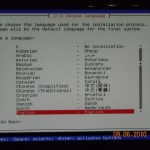
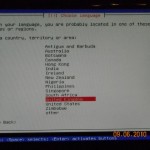
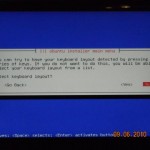
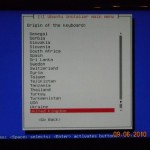
In fact, I did get Ubuntu working the other night but it was too late to post any more updates. What I had to do was use the desktop version of the distro as opposed to the server version (still 64 bit though). I’m writing this on the new machine.

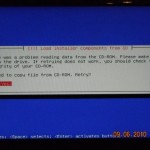
Before I did that I used the menu system to save the install logs and opened a shell to have a look. It seems like Ubuntu itself runs fine and the installer is at fault. Perhaps I need a more up-to-date version of the Universal USB Installer. The error messages are misleading as I believe there are just files missing from the USB drive (mounted on /cdrom). “There was a problem reading from the CD-ROM…” Not really but I guess the installer assumes it has all the files. Still, misleading error messages are one of the banes of IT.

Now to download some hypervisors and other O/Ss.

P.S. Ubuntu likes to spread itself about on the disk if you choose a fully automated install. I wanted the minimum, a / filesystem and some swap and I created a couple of small partitions for that but it still went and used the 900G of space for swap so I had to explicitly tell it what to use.

Wot no Ubuntu

So, with my shiny new hardware I had decided to put Ubuntu 10.04 64bit server edition as a start. I thought this would be easy as I had no problem with the notebook edition. I didn’t order a CD/DVD drive with the hardware as I believe you should be able to do it all with usb keys nowadays (he said).

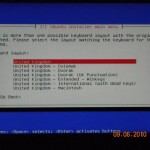
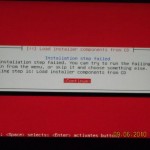
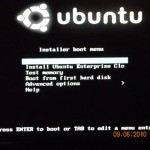
Well, sorry, Ubuntu’s off. Followed all the instructions for downloading and installing onto a bootable USB drive which does boot and start the installation but doesn’t get very far before it complains it can’t load installer components from CD. Looks like this is a common problem but 30mins of searching has not turned up a solution. Maybe I’ll try fixing it or maybe I’ll just try another distro.